
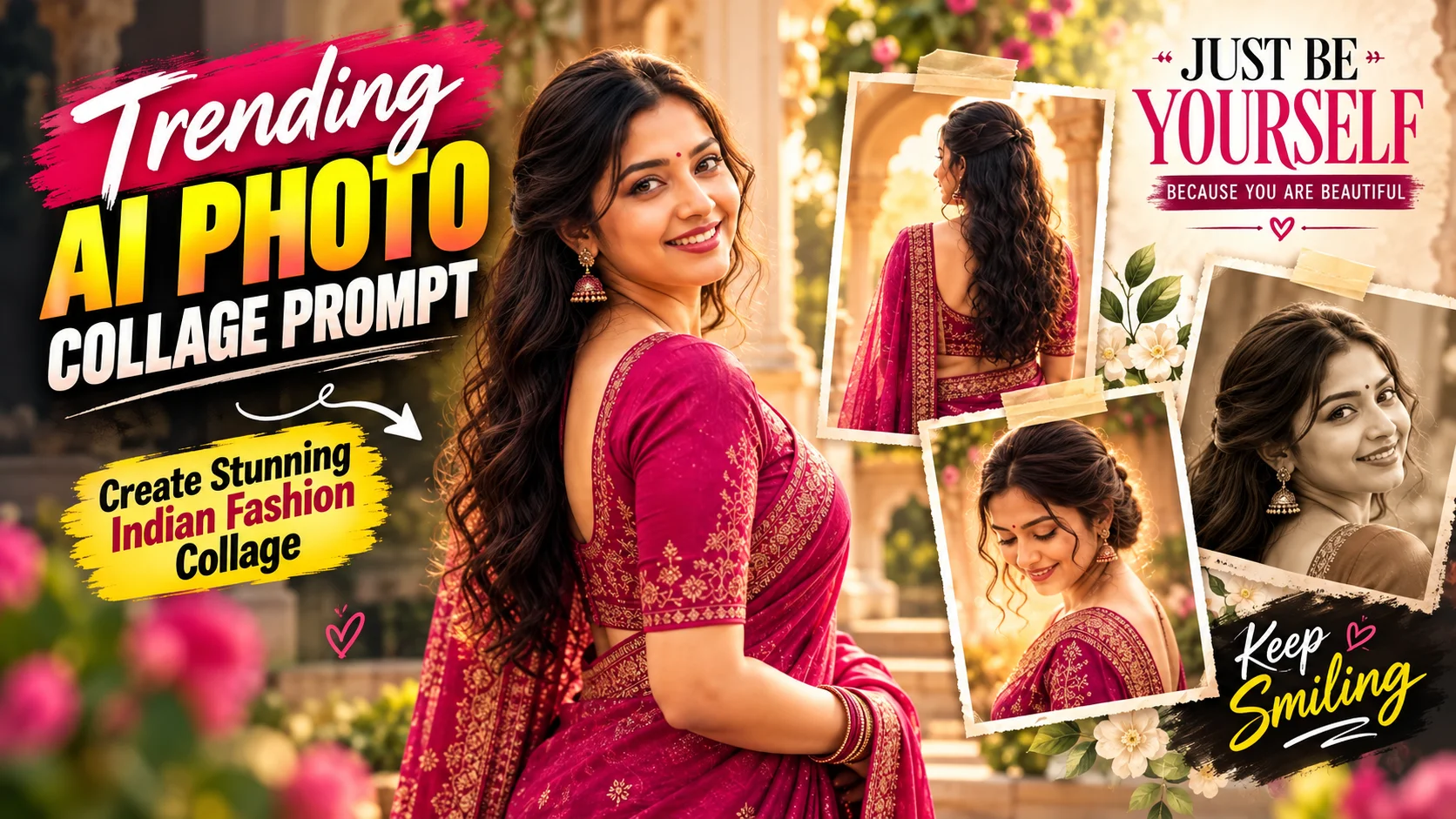
AI photo collages are a creative way to turn a single portrait into a polished fashion composition featuring several poses of the same person. Instead of displaying one conventional photo, the final design can combine close-ups, full portraits, side profiles, faded background images, and decorative elements in one frame.
This style works especially well with Indian fashion. Sarees, traditional accessories, warm studio tones, cinematic lighting, and editorial layouts can give a simple portrait the appearance of a professionally designed fashion spread.
Below are two ready-to-use AI photo collage prompts for creating Indian fashion-inspired results.
What Is an AI Photo Collage?
An AI photo collage combines multiple portraits, poses, or visual layers within a single finished image.
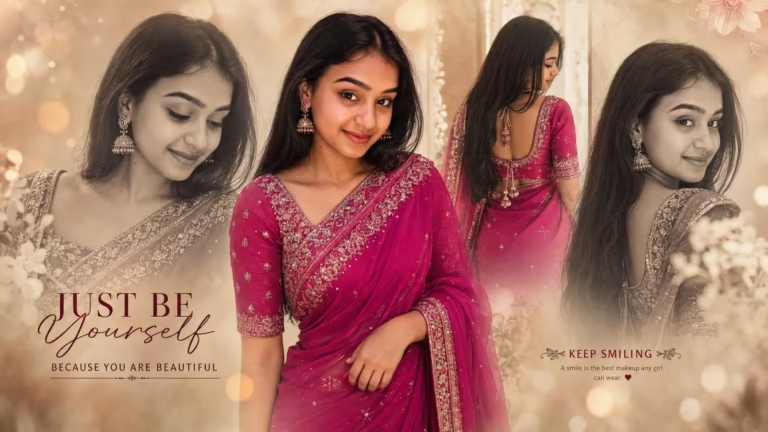
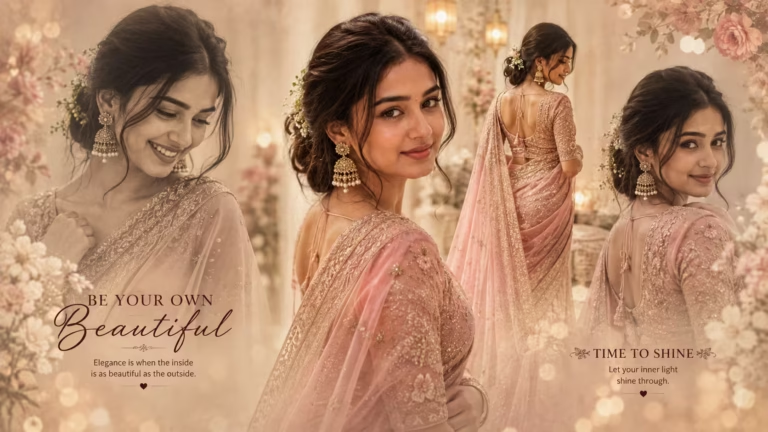
For example, a collage can feature one dominant portrait in the center while smaller or faded versions of the subject appear around it. One image might show a front-facing pose, another a side profile, while a back-view portrait can be blended into the background.
When these elements are arranged carefully, the result can resemble a fashion editorial, magazine cover, poster, or cinematic portrait composition rather than a traditional photo collage.
Why Are Indian Fashion AI Collages Popular?
Indian fashion gives this collage style plenty of visual detail to work with. Saree fabrics, embroidery, jewelry, hairstyles, warm colors, and soft lighting can all contribute to an elegant editorial appearance.
The multi-portrait layout also makes the image more visually interesting than a single portrait. A central color photograph can establish the main focus, while monochrome or softly faded portraits add depth around it.
Details such as golden bokeh, warm beige backgrounds, subtle film grain, flowers, and minimal typography can further strengthen the fashion-magazine aesthetic.
Another advantage is customization. Depending on the prompt, you can adjust elements such as the saree color, styling, background, accessories, and composition while keeping the overall collage concept.
AI Photo Collage Prompts
How to Create an AI Photo Collage with ChatGPT
Start with a clear photo if you are using the first prompt, because that prompt is specifically designed to preserve the identity of the person in an uploaded reference image. A well-lit portrait with the face clearly visible gives the AI a stronger reference to work from.
Open ChatGPT in the app or browser and start a conversation that supports image creation or editing. Upload the photo using the attachment option, then copy the first prompt from the box above and paste it into the chat.
Send the photo and prompt together and wait for the image to be created. Once the result is ready, examine the face, saree, poses, hands, background, text, and overall composition.
If the result needs adjustment, make a focused request rather than changing the entire prompt. For example, you can request a different saree color, refine a pose, or simplify the background while keeping the original composition.
The second prompt uses a different identity concept and is better suited when you want the described editorial model and styling rather than preserving the exact identity from the first prompt.
Gemini or ChatGPT for AI Photo Editing?
Both Gemini and ChatGPT can be used for prompt-based image workflows, but the final result depends on the image features available in the version of the tool you are using.
For a detailed fashion collage, the important factor is how well the tool follows instructions for multiple poses, clothing, identity, background styling, typography, and composition.
If facial consistency is important, use a clear reference image and explicitly state that the face and natural features should remain unchanged. You can also try the same concept in different supported tools and compare which result better matches the look you want.
How to Get Better AI Photo Collage Results
Begin with a high-quality reference image. The face should be visible, reasonably sharp, and not hidden behind heavy filters or extreme shadows.
Keep the instructions specific. Details such as saree color, number of portraits, portrait placement, lighting, background, typography, and aspect ratio help define the intended composition.
When the collage needs the same person in several positions, explicitly ask the AI to preserve facial identity and natural proportions throughout the image.
It is also better to make small adjustments after the first generation. If the composition is already good but the saree color is wrong, request only the color correction rather than rewriting the entire concept.
Common Mistakes to Avoid
A blurry or heavily filtered reference image can make identity consistency more difficult. Use a cleaner photograph whenever possible.
Avoid adding unnecessary instructions that compete with the main composition. Too many decorative objects, lighting effects, or background details can make a collage feel crowded.
Excessive skin smoothing can also reduce realism. If the goal is a photographic result, retain natural skin texture and realistic facial details.
Before sharing the final image, inspect the hands, facial consistency, saree details, text, portrait edges, and cropped areas. Multi-person-style compositions can sometimes produce duplicated or inconsistent features even when every portrait is intended to show the same person.
Frequently Asked Questions
Can I create this AI photo collage with my own photo?
Yes. The first prompt is specifically designed for an uploaded reference image and asks the AI to preserve the person’s facial identity, skin tone, hairstyle, and natural proportions.
Which type of photo should I use?
Use a clear, well-lit image where the face is easy to see. Avoid heavily blurred photographs and strong filters that hide facial details.
Can I change the saree color?
Yes. You can replace the specified saree color with another color if you want a customized version. Keep the remaining instructions unchanged if you want to preserve the same composition.
Can I use another image size?
Yes. The first prompt specifies a 16:9 landscape composition because it suits the wide collage design. You can request another aspect ratio, although the portrait arrangement may need to adapt to the new canvas.
Why can the face look different in some portraits?
Generating several views of the same person can make consistent facial features more difficult for an image model. A clear reference image and explicit identity-preservation instructions can improve consistency, although results can still vary.
Can I replace the text in the collage?
Yes. The typography can be changed to other short phrases. You can also request the image without typography and add your preferred text later in an image editor.
Conclusion
An AI photo collage can turn a straightforward portrait into a layered Indian fashion composition with multiple poses, saree styling, cinematic light, and an editorial atmosphere.
The first prompt focuses on preserving the identity of an uploaded person while creating a magenta-saree collage. The second uses a pastel pink saree, a different facial identity, multiple editorial poses, traditional accessories, flowers, and a romantic beige-golden setting.
For cleaner results, use clear source images where required, keep the important visual instructions specific, and review details such as faces, hands, clothing, text, and cropping before publishing the finished image.
