
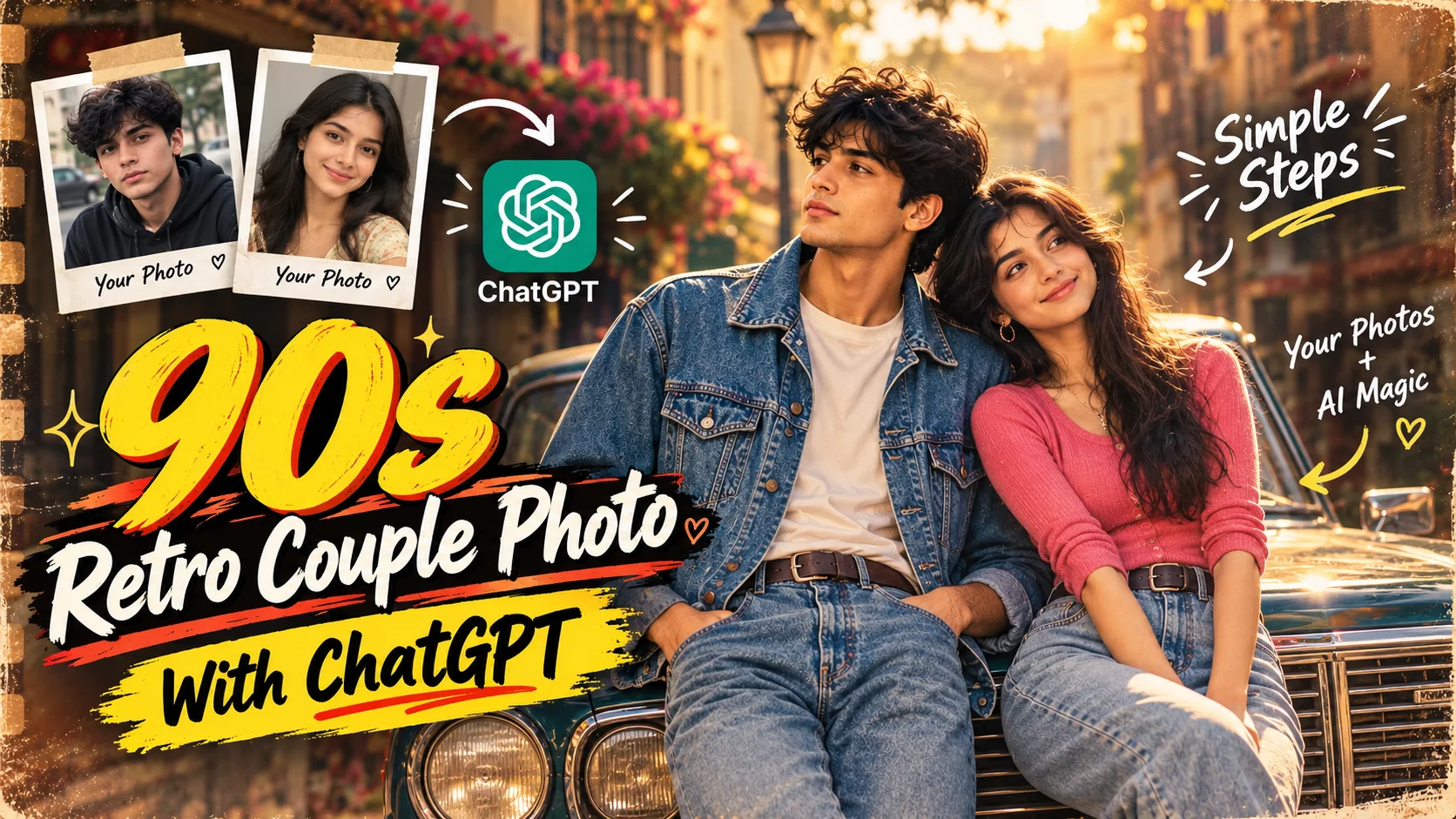
Retro photography has a visual character that modern digital images often lack. Warm tones, softer contrast, natural sunlight, film grain, classic clothing, and small imperfections can make a photograph feel as though it came from another decade.
That aesthetic works particularly well for couple portraits. When vintage Indian fashion, an old car, natural poses, and faded film colors are combined carefully, an ordinary reference photo can become a cinematic image inspired by 1990s photography. The source concept specifically uses denim-era styling, warm sunlight, vintage surroundings, and old-film texture to establish the retro mood. Pasted text
Below are three ready-to-use prompts covering different retro and fashion styles, including the main 90s retro couple photo prompt.
Why the 90s Retro Couple Style Looks So Distinctive
A convincing retro portrait is not created by simply placing a yellow or brown filter over a modern image. The overall scene needs to feel consistent.
Warm natural light creates a softer photographic appearance, while slightly muted colors and gentle contrast help move the image away from the sharp, highly processed look associated with modern digital photography. Subtle analog grain, minor scratches, and aged-film characteristics can add another layer of authenticity when they are used carefully. Pasted text
The environment matters just as much. Classic vehicles, older streets, greenery, period clothing, and simple outdoor locations can make the image feel much more believable than a modern background with a retro filter placed over it.
Retro and Fashion AI Photo Prompts
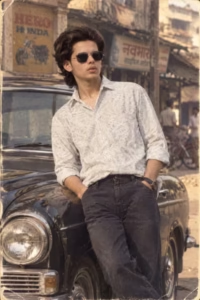
Prompt 1: 1980s-Inspired Retro Solo Portrait
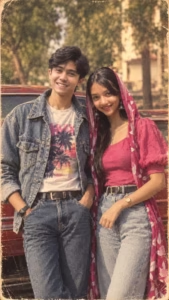
Prompt 2: 90s Retro Indian Couple Photo
This is the main couple prompt in the source. It uses two reference identities, a classic car, 1990s Indian fashion, an old Indian street, warm sunlight, analog grain, and a vertical 9:16 composition.
Prompt 3: Traditional Indian Fashion Photo Collage
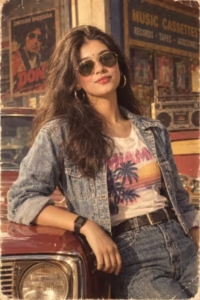
If you want a dedicated fashion-collage concept rather than the retro couple look, you can also explore our AI photo collage prompt, which focuses specifically on Indian fashion collage compositions.
How to Create a 90s Retro Couple Photo with ChatGPT
Start by selecting two clear reference images—one for each person. The faces should be easy to see, and good lighting is preferable because the image model needs enough facial detail to maintain recognizable identities. The original backgrounds do not need to match. Pasted text
Open ChatGPT and use a conversation that supports image creation or editing. Upload both reference photos, then copy Prompt 2 from the box above and paste it into the chat.
Send the prompt together with the images and allow the image to generate. When the result is ready, inspect the faces, pose, clothing, vintage car, hands, lighting, and overall retro appearance.
If something is incorrect, request a focused change rather than replacing the entire concept. For example, you can ask for stronger facial consistency, slightly warmer film tones, a more natural pose, or a different vintage car while keeping the rest of the scene intact.
Choosing the Right Reference Photos
The quality of the reference images can influence how consistently the final portrait represents both people.
Choose photographs where facial features are clearly visible. Extremely blurry images, heavy beauty filters, severe shadows, or objects covering the face can give the AI less reliable information to work from.
The two source images do not need the same background, camera angle, or location. What matters more is whether each person’s face and natural features can be understood clearly from the photograph. Pasted text
Keep Both People Looking Natural
For this type of edit, the creative transformation should mainly affect the environment, styling, clothing, and photographic treatment—not unnecessarily replace the people’s identities.
Prompt 2 therefore explicitly preserves the facial structure, skin tone, hairstyle, age, features, and body proportions of both reference subjects.
Avoid requesting extreme beautification, unrealistically smooth skin, or dramatic changes to facial structure. Those instructions can work against the goal of creating a believable personal retro photograph. Pasted text
Why the Vintage Car Matters
A classic vehicle is more than a background decoration in this concept. Its older body shape, chrome details, and period styling immediately contribute to the retro atmosphere.
Positioning the couple naturally beside the vehicle also helps integrate the car into the composition instead of making it appear pasted into the background.
Lighting should remain consistent across the people, vehicle, street, and surrounding environment. If the couple is lit from one direction but the reflections on the car suggest a different light source, the image can feel less convincing. Pasted text
Optional: Use the AI Photo in a CapCut Transition
The source workflow also pairs the generated AI image with a CapCut-style transition video. The basic idea is to alternate between the original reference image and the AI-generated retro result in successive clips, preview the sequence, and then export the finished video. Pasted text
The exact template availability can vary, so this step is optional and is not required for creating the retro photo itself.
Common Mistakes to Avoid
Do not begin with very low-resolution reference photos if clearer versions are available. Weak facial detail makes it harder to maintain recognizable identities across an AI edit.
Avoid writing several instructions that contradict each other. A clear description of the subjects, clothing, pose, environment, lighting, and film style is more useful than repeatedly describing the same requirement.
Another common problem is relying entirely on a vintage color filter. A convincing 90s image should combine period styling, environment, lighting, composition, and subtle analog texture instead of simply tinting a modern-looking photograph. Pasted text
Frequently Asked Questions
Can I create a 90s retro couple photo with ChatGPT?
Yes. Upload suitable reference photos and provide a detailed prompt describing the two people, their clothing, pose, background, lighting, vehicle, and desired film aesthetic.
Do I need professional editing skills?
No. The workflow is prompt-based, although you may need more than one generation or refinement request before every detail looks right.
What type of photos should I upload?
Use clear photos with visible faces and natural lighting where possible. Avoid heavily filtered, blurry, or obstructed portraits.
Can I upload separate photos of the man and woman?
Yes. Separate reference photographs can be used for each person as long as you clearly indicate which image corresponds to each subject.
Can I change the clothing or background?
Yes. You can modify the outfit, location, vehicle, and related styling while keeping the central retro couple concept.
Can I create the image in 9:16?
Yes. Prompt 2 already specifies a vertical 9:16 format, which works well for mobile-first layouts such as Stories, Reels, and Shorts.
Conclusion
The most convincing 90s retro couple portraits come from a combination of believable identities, simple romantic posing, period-inspired clothing, warm natural light, a classic vehicle, faded colors, and subtle analog-film texture.
Instead of adding excessive filters, focus on making every element belong to the same photographic world. Natural faces, realistic hands, consistent lighting, suitable surroundings, and restrained film effects usually create a stronger retro impression.
With clear reference photos and a detailed prompt, ChatGPT can help transform ordinary couple photographs into a nostalgic, cinematic portrait inspired by 1990s film photography.
