
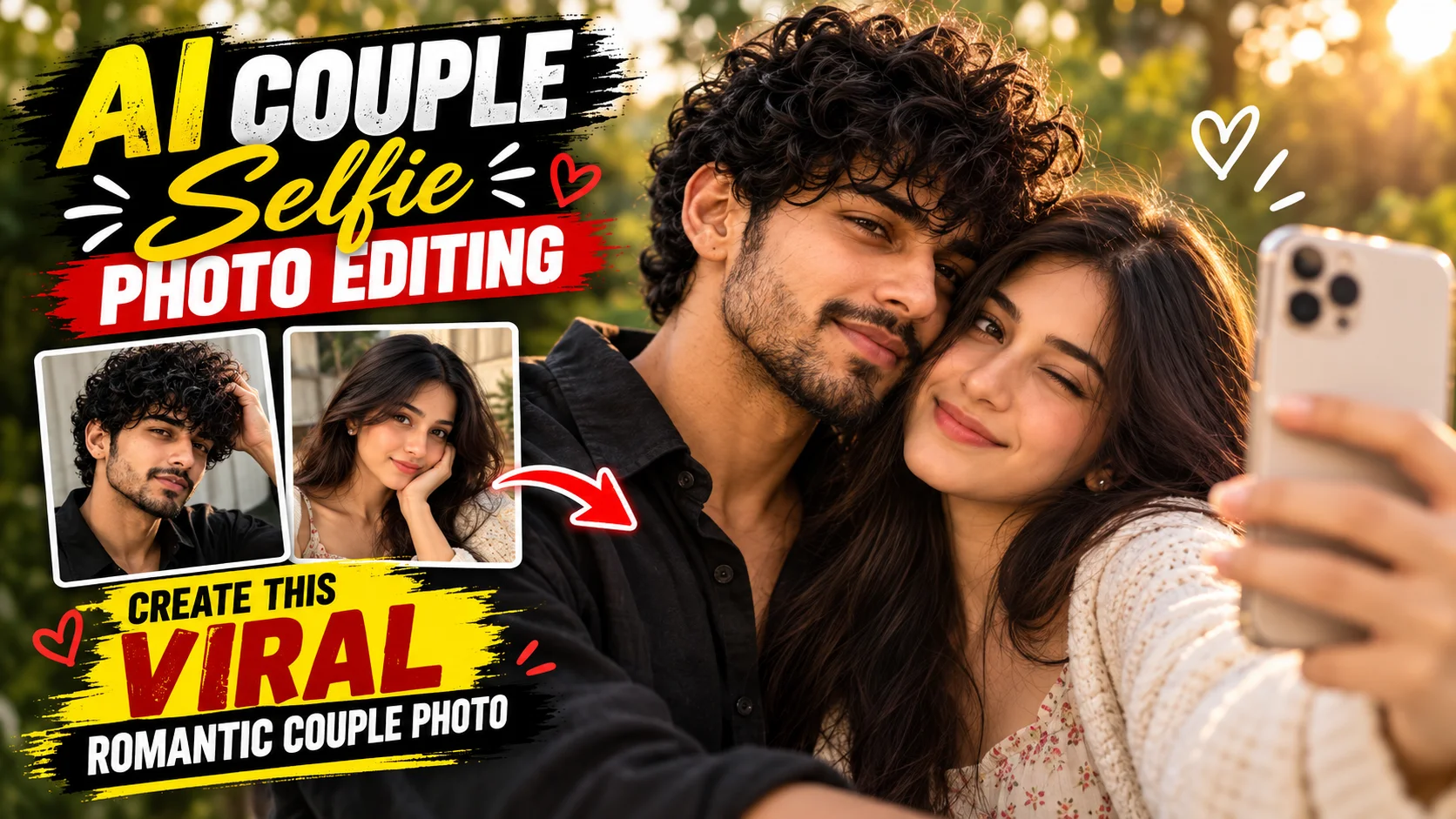
A romantic couple photo does not always need to look like a carefully planned photoshoot. Some of the most appealing couple images have a casual smartphone feel, natural expressions, imperfect framing, and soft outdoor light.
With the right AI couple selfie photo editing prompt, two ordinary photos can be used as references for a more intimate selfie-style composition. Details such as partially hidden faces, moving hair, evening light, and a softly blurred background can help the finished image feel more like a candid moment than a heavily edited portrait.
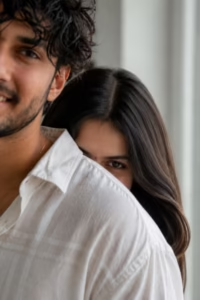
Below are two prompt concepts for creating realistic couple photos with different compositions: an outdoor romantic smartphone selfie and a minimal indoor over-the-shoulder portrait.
What Is the AI Couple Selfie Photo Trend?
The AI couple selfie style combines two people into one natural-looking couple composition.
Instead of placing both subjects in a formal studio pose, the image is designed to resemble a casual photograph captured during an everyday moment. One person may stand slightly in front while the other remains close behind or beside them.
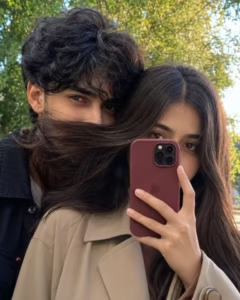
In the first prompt below, the girl holds a burgundy smartphone partly in front of her face while the boy appears close behind her. Only parts of their faces are visible, and the girl’s hair moves naturally across the frame. Soft evening light and blurred greenery complete the candid outdoor look.
This type of composition works particularly well for social posts, profile images, and other vertical or portrait-oriented content.
AI Couple Selfie Photo Editing Prompts
Prompt 1: Romantic Outdoor Couple Smartphone Selfie
How to Create a Couple Selfie Photo with ChatGPT
Choose clear photos of both people. Try to use images where facial features are visible, and the lighting is reasonably natural. The two original photographs do not need to have the same background.
Open ChatGPT and use a conversation that supports image creation or editing. Upload the reference photos using the attachment option.
Copy the prompt you want to use from the box above and paste it into the conversation with the images. Send the request and wait for the result to generate.
Once the image is ready, inspect the faces, eyes, hair, clothing, phone, hands, and background. If one detail does not look right, ask for a targeted correction or create another variation rather than replacing the entire composition.
When you are satisfied with the result, save the image and use it for your preferred social platform or personal collection.
Tips for More Realistic Couple Photos
Start with good reference images. Clear smartphone portraits are sufficient; professional camera photos are not necessary. What matters most is that important facial details can be seen.
Natural skin texture is also important. Excessive smoothing can make both people look artificial, particularly in a close-up selfie where the face occupies much of the frame.
Keep lighting consistent with the scene. For the outdoor selfie prompt, soft evening light works with the greenery and casual smartphone style. For the indoor composition, soft window illumination fits the minimal lifestyle aesthetic.
Avoid overwhelming the prompt with unrelated effects. A few coherent details usually produce a cleaner visual direction than a long collection of conflicting styles.
If you prefer a more nostalgic couple edit instead of a contemporary selfie, our 90s retro couple photo prompt uses vintage Indian styling, an old car, warm film colors, and analog photography details.
Common Mistakes to Avoid
Low-quality reference photos are one of the most common problems. If a face is heavily blurred, very dark, or hidden behind a strong filter, the AI has less useful visual information to work with.
Another problem is excessive processing. Strong HDR, extreme saturation, unrealistic skin smoothing, and too many lighting effects can make an image that is supposed to feel candid look artificial.
Pay particular attention to hair and partially hidden faces in the first prompt. Because the girl’s hair crosses the frame and covers part of the boy’s face, the result should still maintain believable hair direction and facial anatomy.
Also inspect the smartphone carefully. AI-generated images can occasionally produce inconsistent camera modules, fingers, cases, or phone proportions.
If the first result contains an obvious problem, another generation or a small targeted instruction can often work better than completely rewriting the prompt.
Why This Couple Selfie Style Looks Natural
The first composition deliberately avoids the appearance of a formal photoshoot.
The smartphone partially obscures the girl’s face, the boy is only partly visible, the hair crosses the composition, and the couple stands closely together. These visual choices make the photograph feel less posed.
Blurred greenery also separates the subjects from the background without completely removing the sense of an outdoor location.
Soft evening lighting helps maintain the relaxed atmosphere, while eye-level framing makes the image resemble a real smartphone selfie rather than a dramatic professional camera angle.
Frequently Asked Questions
Can I use any two photos for an AI couple selfie?
Clear photos with visible facial details are preferable. Very dark, blurry, heavily filtered, or obstructed portraits can make consistent facial details more difficult.
Can I use ordinary smartphone photos?
Yes. Clear smartphone photos can be used as reference images. Professional photography equipment is not required.
What aspect ratio should I use?
The first prompt uses 4:5, which is well suited to portrait-oriented social feeds. If you want a taller composition for Stories or similar vertical content, you can request 9:16 instead.
Why can AI change facial features?
AI image generation creates a new composition rather than simply placing two original photos together. Facial details can therefore vary. Clear reference images and explicit identity-preservation instructions can help when the tool supports reference-image workflows.
Can I change the clothes or background?
Yes. Clothing, location, lighting, and background can be adjusted while retaining the central couple-selfie composition. Make changes selectively if you want to preserve the original look.
Can I create different versions of the same couple photo?
Yes. You can generate additional variations and adjust individual details such as lighting, hair movement, framing, outfits, or background while keeping the core composition consistent.
Conclusion
A realistic AI couple selfie works best when the image remains simple and believable. Natural expressions, casual framing, realistic skin, soft light, controlled background blur, and small imperfections are more suitable for this style than excessive visual effects.
The first prompt creates an outdoor South Asian couple selfie with a burgundy smartphone, flowing hair, evening light, and greenery. The second creates a brighter indoor lifestyle portrait with an over-the-shoulder composition and soft window lighting.
Start with clear reference images where applicable, review small anatomical details carefully, and refine only the parts that need improvement. This approach helps preserve the natural, candid character that makes the couple-selfie style appealing.
