
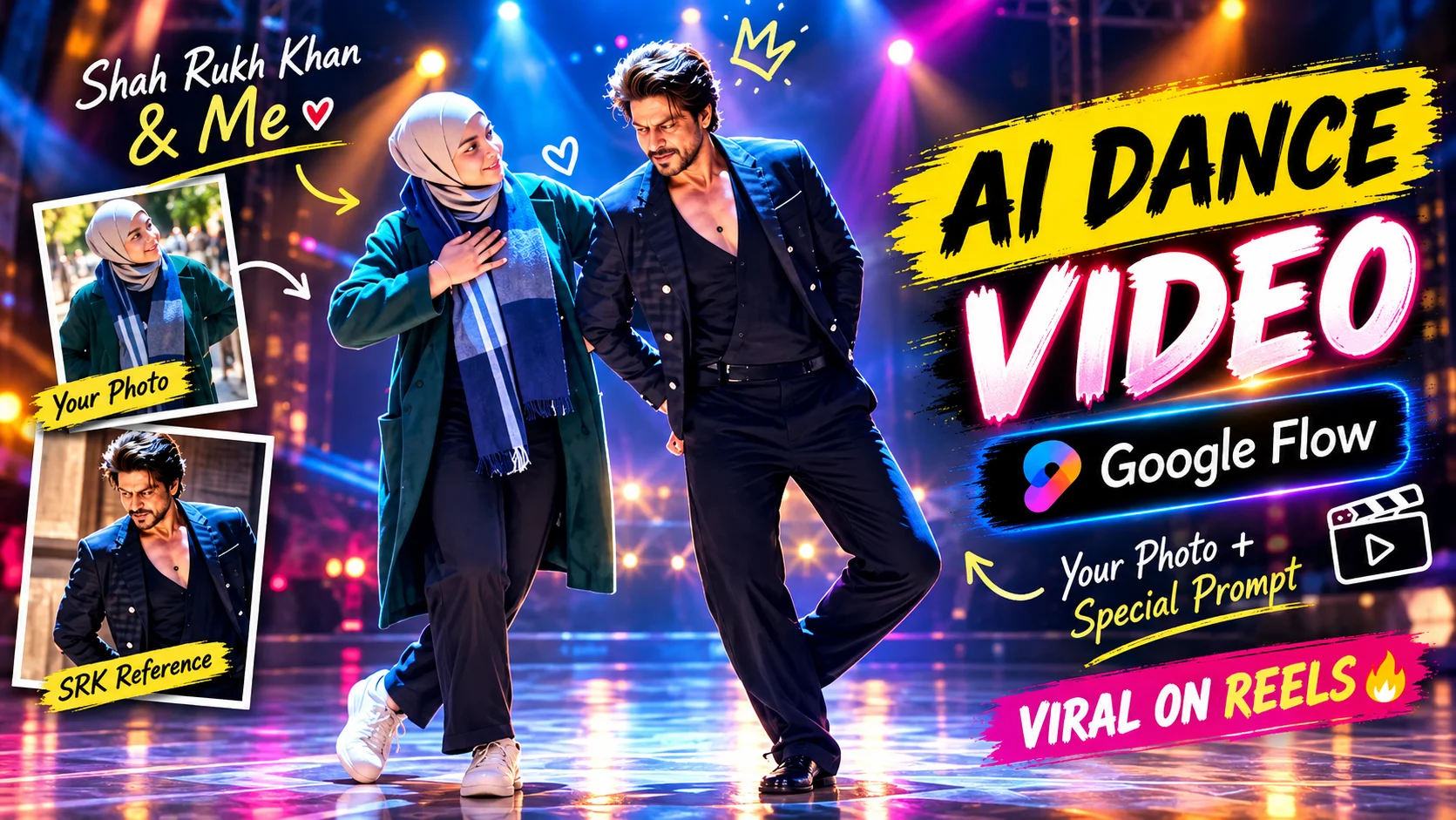
AI video generation becomes much more interesting when your own photograph becomes the starting point for the scene. Instead of generating an unrelated character from text alone, you can provide a reference image and describe how the person should move, interact, and appear throughout the video.
One creative example is a cinematic Bollywood dance performance. A simple reference photo can become the identity source for a short stage sequence with coordinated choreography, realistic body movement, warm theatrical lighting, audience ambience, and smooth camera motion.
The AI dance video prompt below is designed around that concept and can be used with Google Flow for an image-to-video workflow.
What Is an AI Dance Video?
An AI dance video is a generated video in which an image, prompt, or combination of visual references is used to create movement over time.
With a reference-image workflow, the photograph gives the system visual information about the person while the prompt defines the action and environment.
For a cinematic dance video, that can include the choreography, hand gestures, footwork, facial expression, stage design, lighting, camera movement, depth of field, and interaction between performers.
The goal is not simply to make the person move. The entire performance should remain visually consistent so the face, body, clothing, movement, and environment feel as though they belong in the same professionally filmed scene.
Why Cinematic AI Dance Videos Are Popular
Dance videos naturally combine movement, personality, music, and visual storytelling, which makes them suitable for short-form social content.
Using a personal reference photo adds another layer because the generated performance can feature someone familiar rather than a completely fictional subject.
A Bollywood-style scene can also provide strong visual elements such as coordinated choreography, expressive gestures, stage lighting, atmospheric haze, and cinematic camera tracking.
The challenge is maintaining realism. Fast or overly complicated movement can make hands, legs, facial features, or body proportions less consistent, so controlled choreography is usually a better fit for this style.
AI Dance Video Prompt
Prompt 1: Cinematic Bollywood Dance Performance
How to Create an AI Dance Video in Google Flow
Begin with a clear, high-quality reference photograph. Since the prompt relies on the uploaded image to establish the girl’s identity, choose a photo where the face, hairstyle, and overall appearance are easy to see.
Open Google Flow and sign in, then create a new project. Upload the reference image you want to use. If your intended workflow uses separate references for both people, upload the relevant reference images.
Choose the image-to-video or Frame to Video workflow described in the source material and select the uploaded image as your starting frame.
For the workflow provided here, the source recommends a 10-second video with a 16:9 aspect ratio. Paste the dance prompt into the prompt field and start the generation.
Once the video is ready, watch the complete clip. Check the girl’s facial identity, hands, legs, body proportions, dance movement, interaction between the performers, clothing movement, stage lighting, background, and camera tracking.
If one part looks wrong, adjust that specific issue and generate another version instead of rewriting the entire concept.
If you want to explore another image-to-video workflow with the same tool, our cinematic Mercedes car video prompt focuses on realistic car movement, camera motion, facial consistency, and Google Flow video generation.
Keep the Dance Movement Natural
Body motion is one of the most difficult parts of an AI-generated dance video.
A complicated routine can require the system to maintain facial identity while simultaneously tracking the torso, arms, wrists, fingers, legs, clothing, hair, and interaction between two people.
Simple and controlled choreography can therefore be more convincing than extremely fast movements.
The prompt should describe actions clearly rather than relying only on the word “dance.” In this case, the important visual direction is graceful Bollywood choreography with coordinated movement, smooth hand gestures, believable footwork, subtle expressions, and natural interaction.
Also inspect transitions between movements. A pose may look correct in one frame but become anatomically inconsistent as the body changes position.
Make the Camera Feel Cinematic, Not Artificial
Camera motion can improve a performance, but excessive movement can make the result harder to follow.
Gentle tracking shots are appropriate for this concept because the camera can move with the performers while keeping them clearly visible. Natural depth of field can also help separate the dancers from the stage without making the background completely disappear.
If the first result feels too static, refine the camera-motion instruction. If it moves too aggressively, ask for slower and more controlled tracking.
The camera should support the choreography rather than becoming the main effect.
Use Stage Lighting Carefully
The source concept uses a premium Bollywood stage with warm golden spotlights, soft glowing illumination, stage haze, and audience ambience.
These elements should work together.
The lighting needs to interact naturally with faces, clothing, hair, the stage floor, and surrounding atmosphere. Strong lights can create attractive highlights, but overly intense glow or unrealistic shadows can make the video appear synthetic.
Subtle haze can help show the beams of the stage lights, but too much haze can hide facial details and reduce clarity.
Try Different Generations Instead of Overloading the Prompt
The first video may not be the strongest version.
If the choreography looks unnatural, simplify the motion. If facial identity changes during the clip, strengthen the identity-preservation instructions. If the camera is distracting, reduce its movement. If the stage appears artificial, simplify the environment or request more realistic lighting and materials.
Changing one or two variables at a time makes it easier to identify what actually improves the result.
Adding more instructions to an already complicated prompt is not always the solution.
Creating Videos for Reels and Shorts
The workflow above specifies 16:9 for the cinematic generation, while vertical video is generally more appropriate when the intended destination is full-screen short-form content.
If your Google Flow workflow provides the required vertical format, you can adapt the output for platforms such as Instagram Reels and YouTube Shorts while keeping the same choreography and visual concept.
The key point is to decide the final destination before framing the scene so the performers have enough space in the composition.
Tips for Better Results
For stronger results, use a sharp reference image, keep instructions internally consistent, describe the actual choreography rather than using vague movement terms, avoid excessively complicated actions, generate several versions when necessary, inspect hands and body motion carefully, keep lighting believable, and maintain the same visual treatment if you are creating multiple clips for one longer sequence.
Can You Create a Longer AI Dance Video?
A longer dance sequence can be built from several shorter generated clips.
For example, one clip could introduce the performers, another could show a different section of choreography, and another could use a wider stage composition.
Those clips can then be arranged in a video editor.
This approach can give you more control than attempting to generate a long and complicated performance in one pass. It also allows you to discard individual clips that contain identity drift, poor hand anatomy, or unrealistic movement without losing the entire project.
What to Check Before Using the Final Video
Watch the complete video rather than evaluating only the opening frame.
Check whether the face remains stable throughout the sequence. Look closely at fingers, hands, elbows, feet, and body proportions during movement.
Also examine the clothing and hair. They should react naturally to movement rather than changing shape unpredictably between frames.
Finally, check the stage, background, lighting, and camera motion for consistency. A visually impressive first second is not enough if the remainder of the clip contains obvious distortions.
Conclusion
Creating a cinematic AI dance video from a photograph combines several demanding tasks: identity preservation, full-body motion, interaction between performers, choreography, lighting, camera movement, and frame-to-frame consistency.
A clear reference image and focused prompt provide a better foundation than excessive instructions. For this Bollywood concept, the main priorities are preserving the girl’s natural appearance, keeping the choreography elegant and coordinated, using believable stage lighting, and maintaining realistic human anatomy throughout the performance.
If the first generation is imperfect, refine individual issues and try another version. Short controlled generations can also be combined later when you want to create a longer performance.
